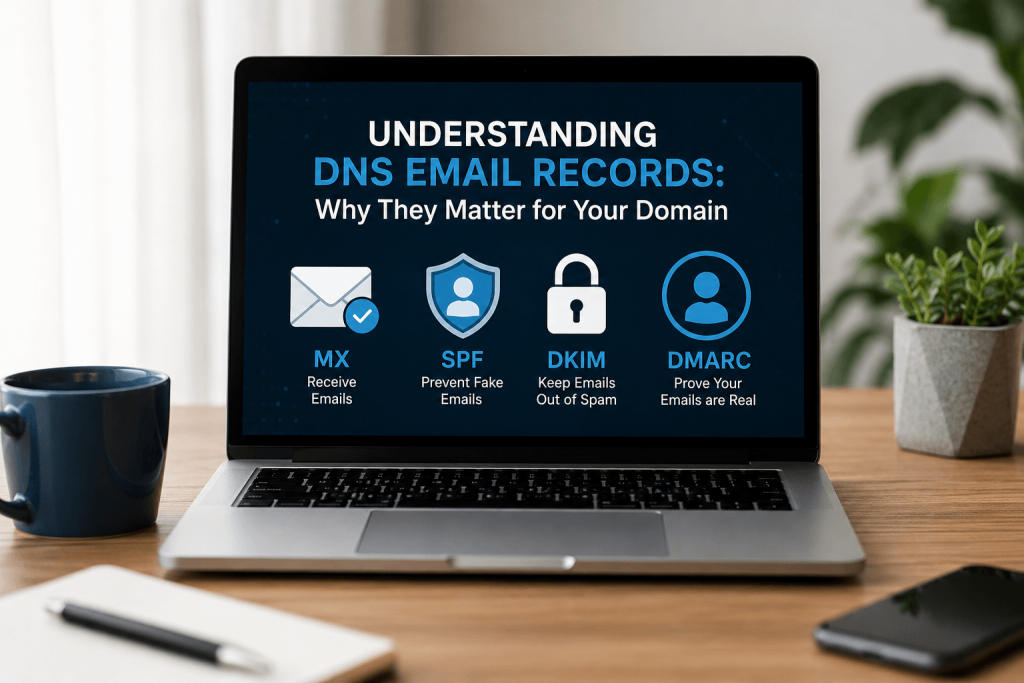
When you own a domain, setting up your email correctly is crucial. You want your emails to reach your audience, look professional, and protect your reputation. That’s where DNS email records come in! In this post, we’ll break down four essential types of records that is MX, SPF, DKIM, and DMARC so you can understand their importance and how they can help your business thrive.
This is just to educate you about the DNS Email Records, however feel free to ask me for configuration help here by filling the form or reachout to the team at Cursor Technologies or a team from Ablestate
What Are DNS Email Records?
DNS (Domain Name System) email records are vital pieces of information that help route email traffic and verify the authenticity of emails sent from your domain. Proper configuration of these records ensures that your emails reach the inboxes of your recipients, protects your business from impersonation, and helps maintain your brand’s reputation.
MX Record: The Mailman of Your Domain
Imagine your email is like a letter you want to deliver. The MX (Mail Exchange) record acts as the address for your mailbox. It tells the internet where to send emails intended for your domain. Without it, any emails sent to you might get lost or bounce back.
For example, if someone tries to send you an email at [email protected], the MX record ensures that the email goes to the right server that handles incoming messages. A properly configured MX record means you’ll receive emails correctly and never miss important communications.
Consider a small business that fails to set up its MX records correctly. They might miss crucial client inquiries or orders, leading to lost business opportunities and frustrated customers.
To ensure your MX records are correctly configured, you can use online tools like MXToolbox to check your setup. Alternatively you can use the Zoho Mail Tools dashboard
SPF Record: Your Domain’s Bodyguard
Have you ever received an email that looked suspicious, like it came from your bank but really didn’t? The SPF (Sender Policy Framework) record helps prevent that kind of fraud by specifying which servers are allowed to send emails on behalf of your domain.
Think of the SPF record as a guest list for a party. Only those on the list can send invitations. For your business, this means that if someone tries to send an email pretending to be you from an unauthorized server, it’ll be blocked. This protects your reputation and keeps your customers safe from phishing attacks.
A startup that configures its SPF record can prevent scammers from sending out fake emails posing as official communications. This not only protects the business but also helps maintain trust with its customers, reducing the risk of lost sales due to fraud.
You can easily create your SPF record using online SPF record generators, which guide you through the process. Most third party Email Service providers will have these pre configured for you and you need not to worry. Just place the configs in the right place and you are good to go
DKIM Record: The Signature of Trust
Ever received a letter with a fancy signature? That’s how DKIM (DomainKeys Identified Mail) works. It adds a digital signature to your emails, helping email providers verify that the message is genuinely from you and hasn’t been altered in transit.
When you send an email, the DKIM record ensures that recipients can check the signature. If the signature matches, they can trust that the email is legitimate. This helps your emails land in inboxes rather than spam folders, increasing the chances of your messages being read.
Imagine a company that has successfully set up DKIM records. Their email marketing campaigns see higher open rates since fewer emails end up in spam, leading to more engagement and sales. This is not a Guarantee that your email won’t go to spam. It just reduces the chances of your emails ending in the spam box due to failed identification or misidentification.
Also be advised that there are other reasons why an email may end up in spam forexample Poor sender reputation due to past emails, Misleading subject lines, High image-to-text ratio, Use of spammy keywords, unsubscribing issues, Too many links, too much unfiltered Ai Content or duplicate content, Using a free email service for bulk sending.
Many email service providers offer guides for generating and configuring DKIM records. Following these guides will help you get set up correctly.
DMARC Record: Your Protection Against Impersonation
Lastly, the DMARC (Domain-based Message Authentication, Reporting, and Conformance) record is like a security blanket for your domain. It combines SPF and DKIM to provide a comprehensive defense against email impersonation.
Imagine you’re a business owner who wants to ensure that no one can pretend to be you. A DMARC record allows you to set rules on how to handle emails that fail SPF or DKIM checks. You can specify that these emails be quarantined or rejected entirely. This not only protects your brand but also builds trust with your customers.
A business that implements DMARC can receive reports on any failed email attempts and take action to tighten their security measures. This proactive approach helps maintain their business integrity and safeguards customer information.
To set up DMARC records, you can use online DMARC record generators that simplify the process for you. Monitoring tools can also help you track your email authentication status.
FAQs About DNS Email Records
1. How do I know if my DNS email records are correctly set up?
You can use tools like MXToolbox or DNSstuff to check the configuration of your MX, SPF, DKIM, and DMARC records.
2. Can I set up these records myself?
Yes! Most domain registrars and hosting providers offer user-friendly interfaces for managing DNS records. Additionally, there are many online resources and guides to help you.
3. What happens if I don’t set up these records?
Without proper DNS email records, your emails may not reach their intended recipients, risk being marked as spam, or leave your domain vulnerable to impersonation and fraud.
Conclusion: Set Up Your DNS Email Records Today!
Understanding and properly configuring your DNS email records MX, SPF, DKIM, and DMARC can make a significant difference for your business. These records ensure that your emails reach the right people, protect your domain’s reputation, and help you establish trust with your customers.
Don’t overlook these essential tools! Take the time to set them up correctly, and watch your email communications improve. Remember, a strong email presence is key to growing your business and maintaining a professional image online. By following the steps outlined in this post and utilizing the provided resources, you’ll be on your way to mastering your domain’s email setup in no time!